Browse all 27 areas
Sales
- Clients & properties
- Requests & lead intake
- Site visits & estimates
- Quotes & proposals
- Price book & packages
Operations
- Jobs & scope
- Scheduling & dispatch
- Routes & crew capacity
- Recurring service plans
- Field work & mobile
- Tasks & follow-ups
- Inventory, vendors & equipment
Finance
Team
Customer experience
Growth
Insights
Administration
Features · Finance
Invoices
Follow each invoice from its source work to its remaining balance.
What it does
- Invoice creation
- Job-based invoicing
- Deposit tracking
- Completed visits ready to invoice
- Batch invoice selection for export or sendingSetup required
Unlinked items are in the application without a screenshot here yet. Setup required works once the business connects its provider account.
Screens
9 screenshots of this area in Job Pro App, taken with sample business data. Select an image to open it full size.
- Invoices list: paid, partially paid and open invoices
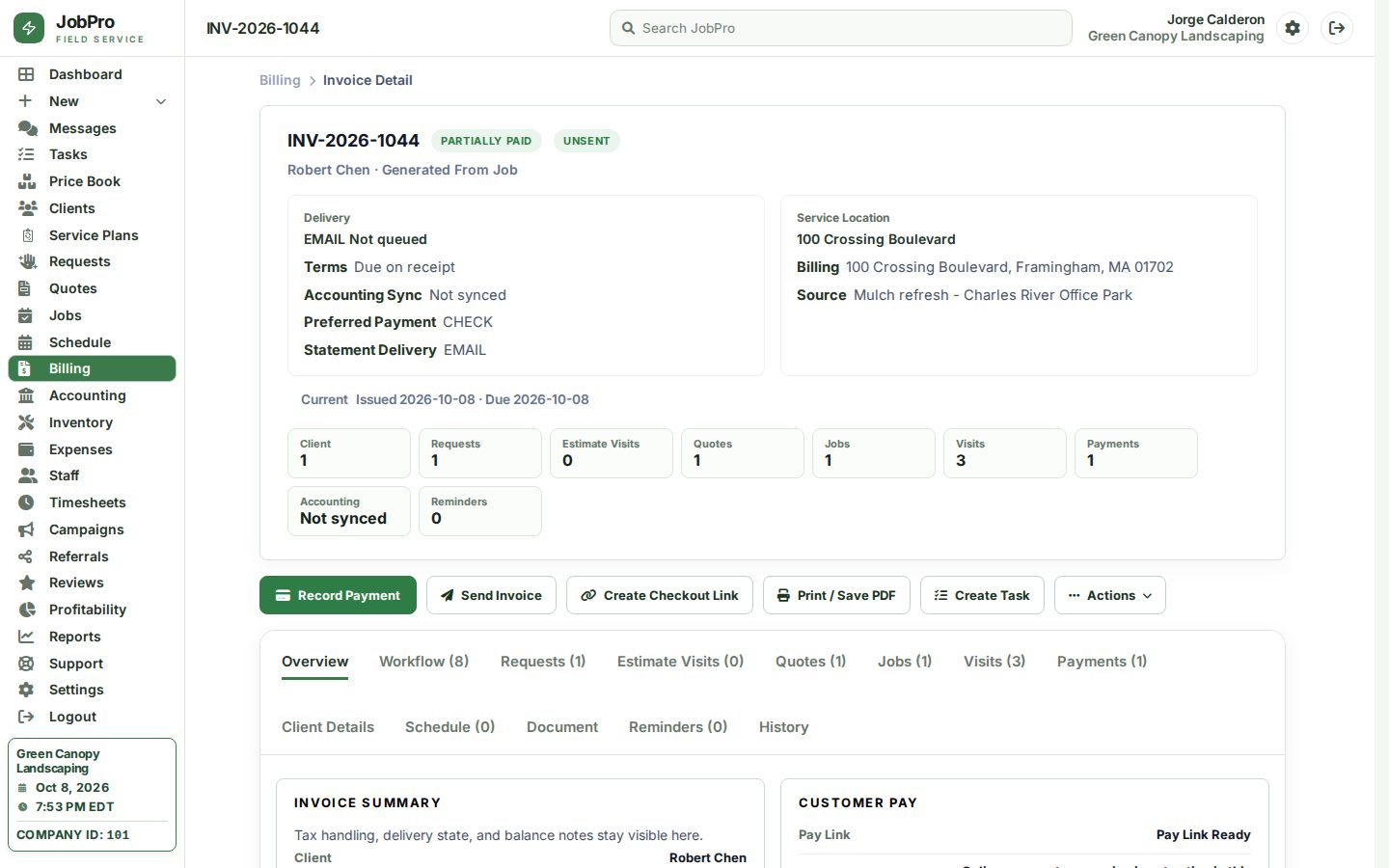
- Invoice from the office park mulch job, with the 50% deposit applied
- Paid invoice for late-summer bed maintenance
- Open invoice for aeration and overseeding
- Past-due invoice for a condo association
- Creating an invoice from the billing workspace
- Creating an invoice from a job: scope rows carried over
- Invoice actions
- Invoice batch actions: select a page of invoices to send or export